> ## Documentation Index
> Fetch the complete documentation index at: https://getkoala.com/docs/llms.txt
> Use this file to discover all available pages before exploring further.
# Segment
> Segment is the easiest way to install Koala. If you've already got Segment running on your website, we recommend this approach. With Segment, you can instrument Koala easily without code.
Segment's Analytics 2.0 is required for this client-side destination.
***
### Step 1: Connect your source to the Koala destination
Navigate to **Connections > Destinations > Add Destination** in the Segment app.
Search for "Koala" and add it to a source.
### Step 2: Enter your destination settings
You'll need to enter your "Public API Key" which can be found in your workspace settings under
[Settings > Install](https://app.getkoala.com/goto/settings/install). Note: the Segment integration calls your Public API Key a "Koala Project Slug", that's where you should enter your Public API Key.
### Step 3: Configure which events to send from Segment (Optional)
Once connected, you can configure how you want to send data to Koala. By
default, Segment will forward track events and identify events to Koala. We
recommend sticking with the defaults!
***
## Optional: Sending events server side with Koala Cloud
You can optionally forward your existing Segment server side events to Koala using the Koala Cloud Destination on Segment.
The Koala Cloud Destination supports forwarding `Track` and `Identify` calls that are tracked server side via one of Segment's server side libraries.
### Step 1: Connect your source to the Koala Cloud destination
Navigate to your Segment workspace. Visit the Koala Cloud Destination in the Segment catalog and click "Configure Koala Cloud".
Select the source you want to forward events from and click "Add Destination".
### Step 2: Enter your destination settings
You'll need to enter your "Public API Key" which can be found in your workspace settings under
[Settings > Install](https://app.getkoala.com/goto/settings/install).
### Step 3: Configure which events to send from Segment
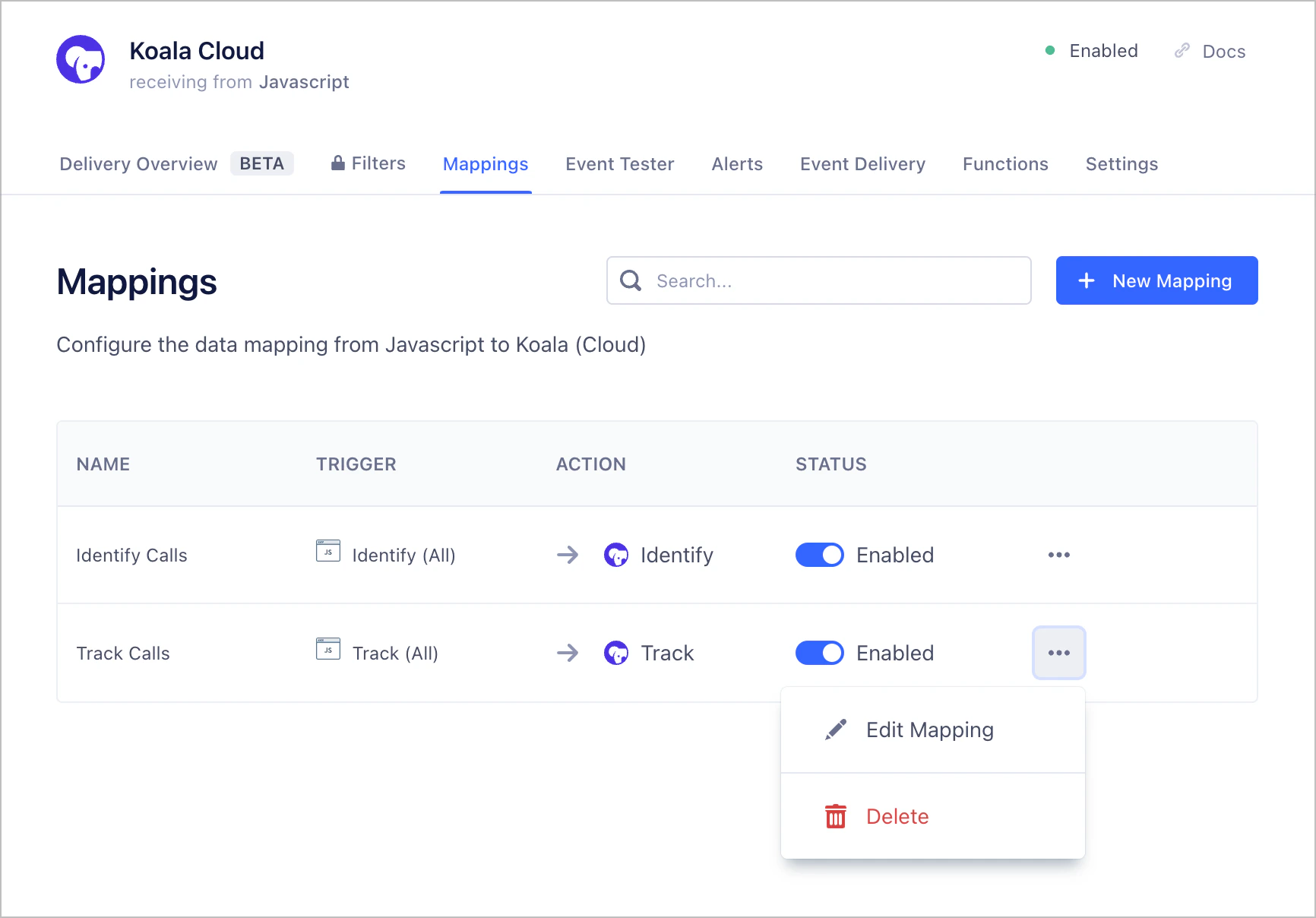
Once connected, you can configure how you want to send data to Koala. You can do that by clicking on the "Mappings" tab in your newly created Segment Koala Cloud destination.
 ### (Optional) Step 4: Tracking Identified Visitors
By default, Koala will only accept `Track` and `Identify` calls containing an `email` property in the `properties` or `traits` field of the call.
This is because Koala uses the `email` property to match an existing Koala Visitor to a visitor in your App as well as your CRM.
You can configure your existing Segment server side libraries to send the `email` property in the `properties` or `traits` field of the call.
The following code snippet illustrates how to do that with the Segment Node library.
```js theme={null}
const analytics = new Analytics({ writeKey: '' })
analytics.track("User Signed Up", {
email: "joey@getkoala.com",
selectedPlan: 'team',
...otherProperties
})
analytics.identify(userId, {
email: "joey@getkoala.com",
billingPlan: 'team',
...otherTraits
})
```
### (Optional) Step 5: Tracking Anonymous Visitors
If you'd like to track anonymous visitors, you can do so by sending a `Track` call with the existing `profile_id` provenient from the Koala pixel in the `properties` field of the call.
The Koala `profile_id` is a unique identifier that is generated for each visitor that visits your website with the Koala pixel installed. You can access it by reading
the `ko_id` cookie from the browser.
The following code snippet illustrates how to do that with the Segment Node library when handling an HTTP request.
```js theme={null}
function requestHandler(req, res) {
// Use your prefered cookie parsing library to read the Koala cookie
const koalaProfileId = getCookie(req.cookies, 'ko_id')
analytics.track("My High Intent Actions", {
profile_id: koalaProfileId,
...otherProperties
})
// ...
}
```
### (Optional) Step 4: Tracking Identified Visitors
By default, Koala will only accept `Track` and `Identify` calls containing an `email` property in the `properties` or `traits` field of the call.
This is because Koala uses the `email` property to match an existing Koala Visitor to a visitor in your App as well as your CRM.
You can configure your existing Segment server side libraries to send the `email` property in the `properties` or `traits` field of the call.
The following code snippet illustrates how to do that with the Segment Node library.
```js theme={null}
const analytics = new Analytics({ writeKey: '' })
analytics.track("User Signed Up", {
email: "joey@getkoala.com",
selectedPlan: 'team',
...otherProperties
})
analytics.identify(userId, {
email: "joey@getkoala.com",
billingPlan: 'team',
...otherTraits
})
```
### (Optional) Step 5: Tracking Anonymous Visitors
If you'd like to track anonymous visitors, you can do so by sending a `Track` call with the existing `profile_id` provenient from the Koala pixel in the `properties` field of the call.
The Koala `profile_id` is a unique identifier that is generated for each visitor that visits your website with the Koala pixel installed. You can access it by reading
the `ko_id` cookie from the browser.
The following code snippet illustrates how to do that with the Segment Node library when handling an HTTP request.
```js theme={null}
function requestHandler(req, res) {
// Use your prefered cookie parsing library to read the Koala cookie
const koalaProfileId = getCookie(req.cookies, 'ko_id')
analytics.track("My High Intent Actions", {
profile_id: koalaProfileId,
...otherProperties
})
// ...
}
```